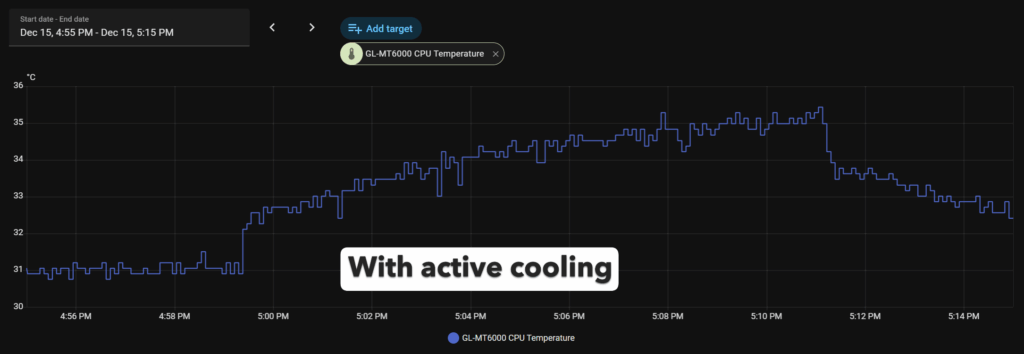

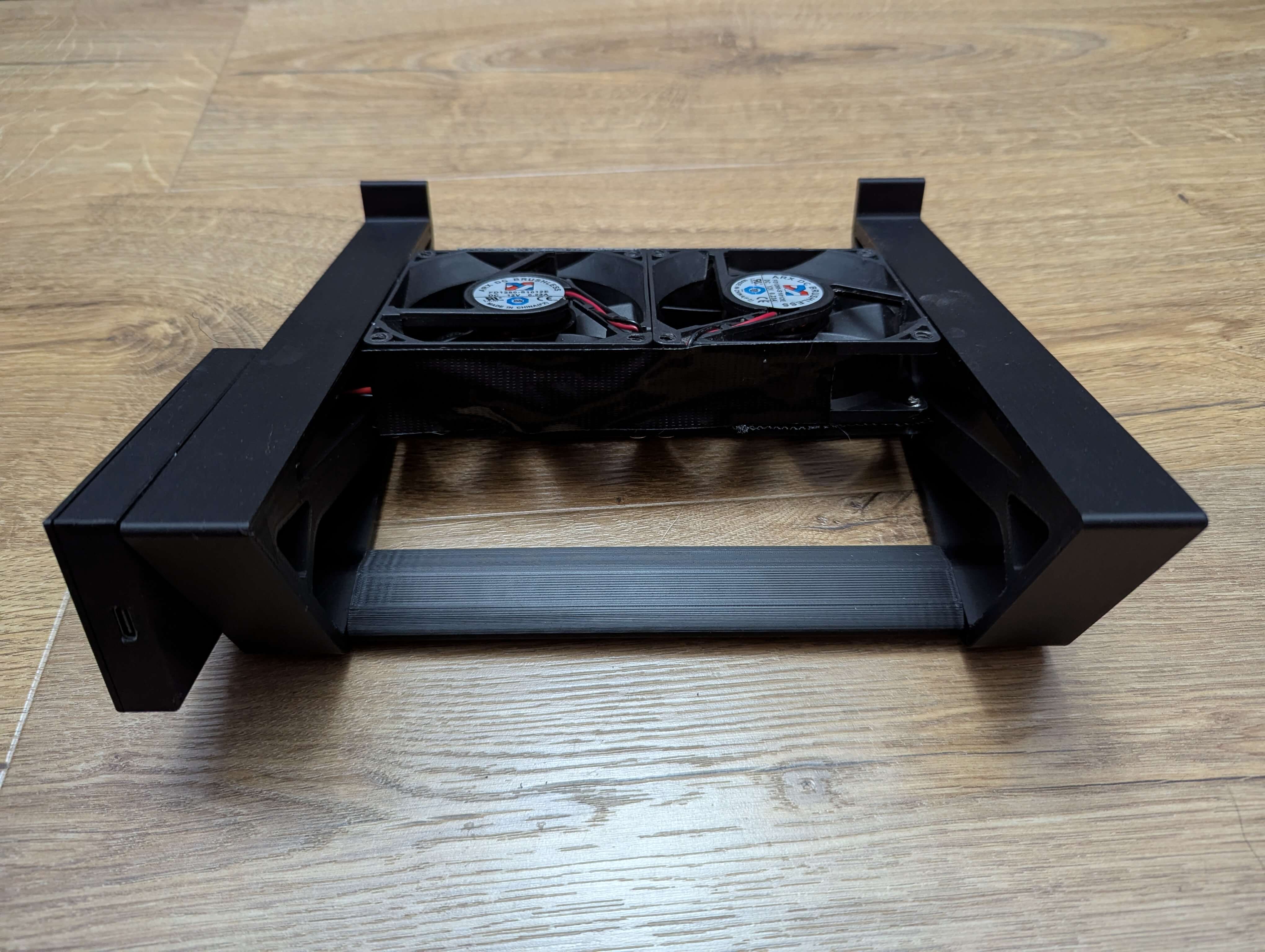
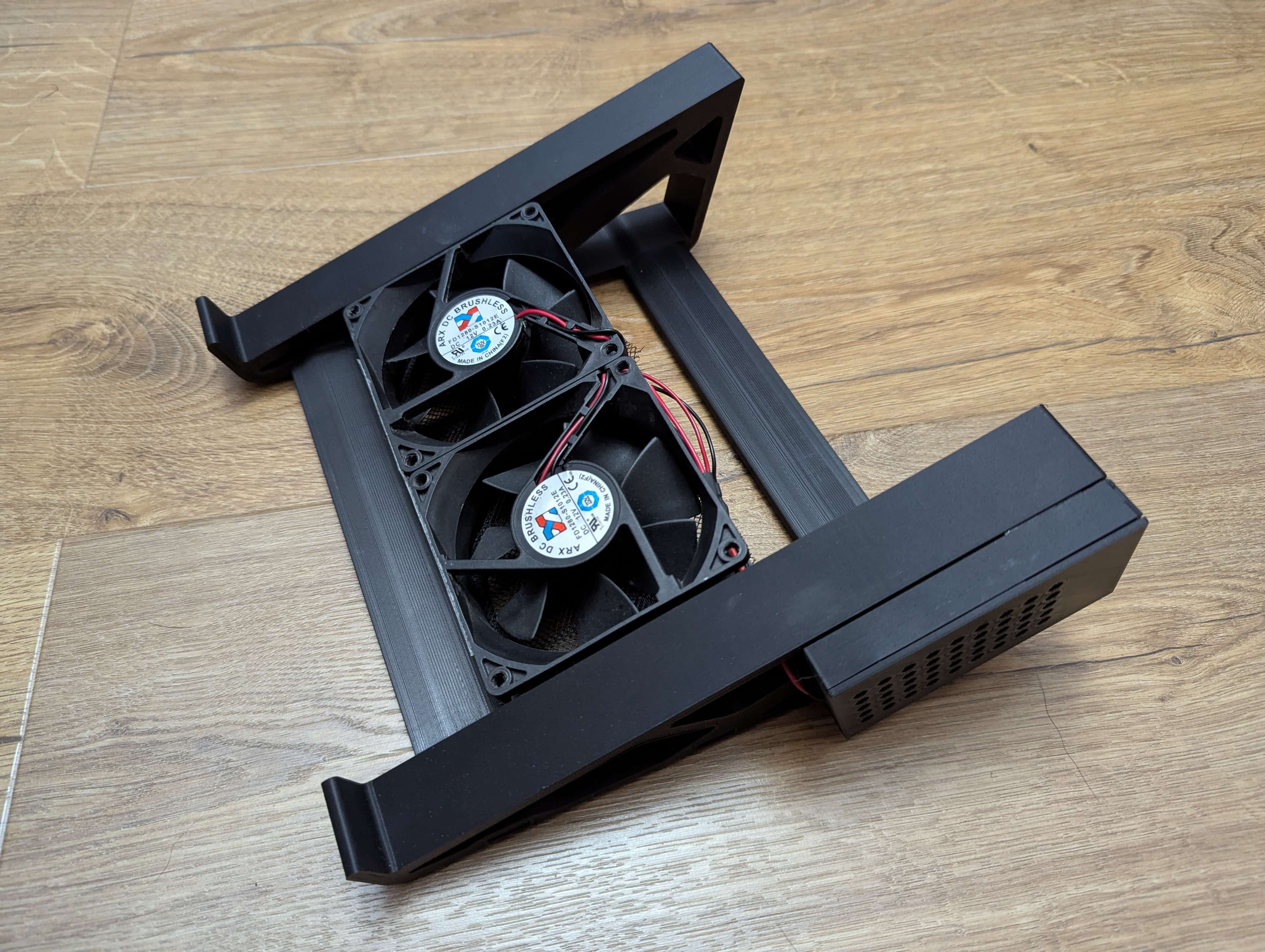
I got a new router recently and, because it was running too hot, I decided to 3D print a stand with active cooling for it and to integrate it with Home Assistant.
Making the Stand
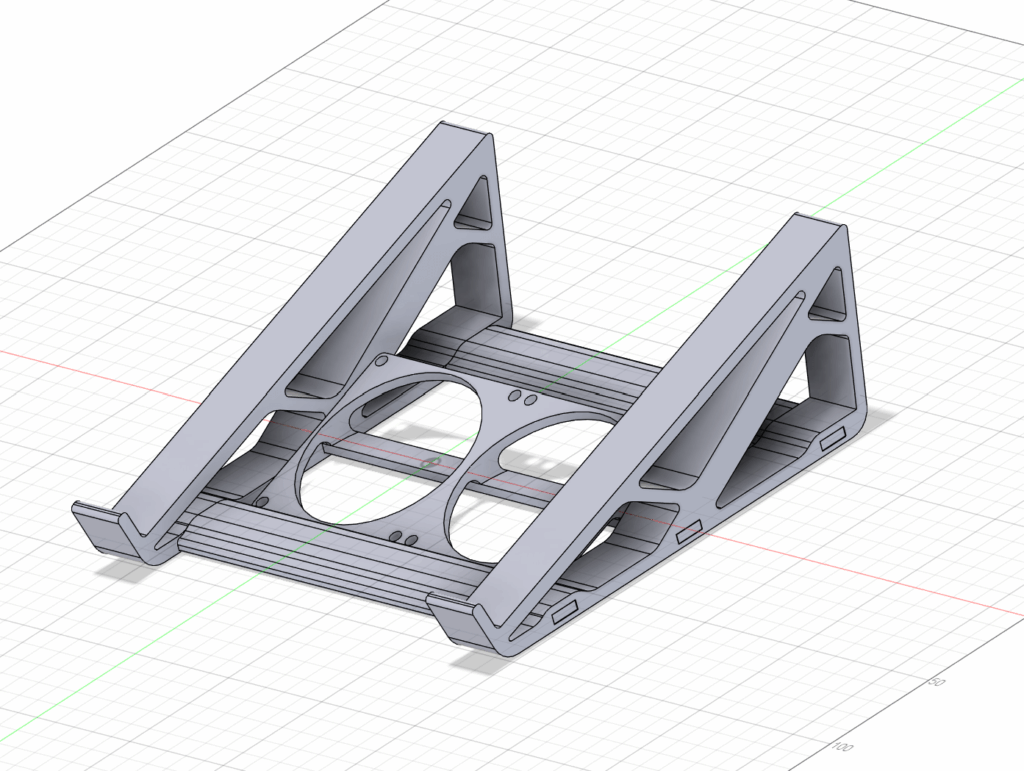
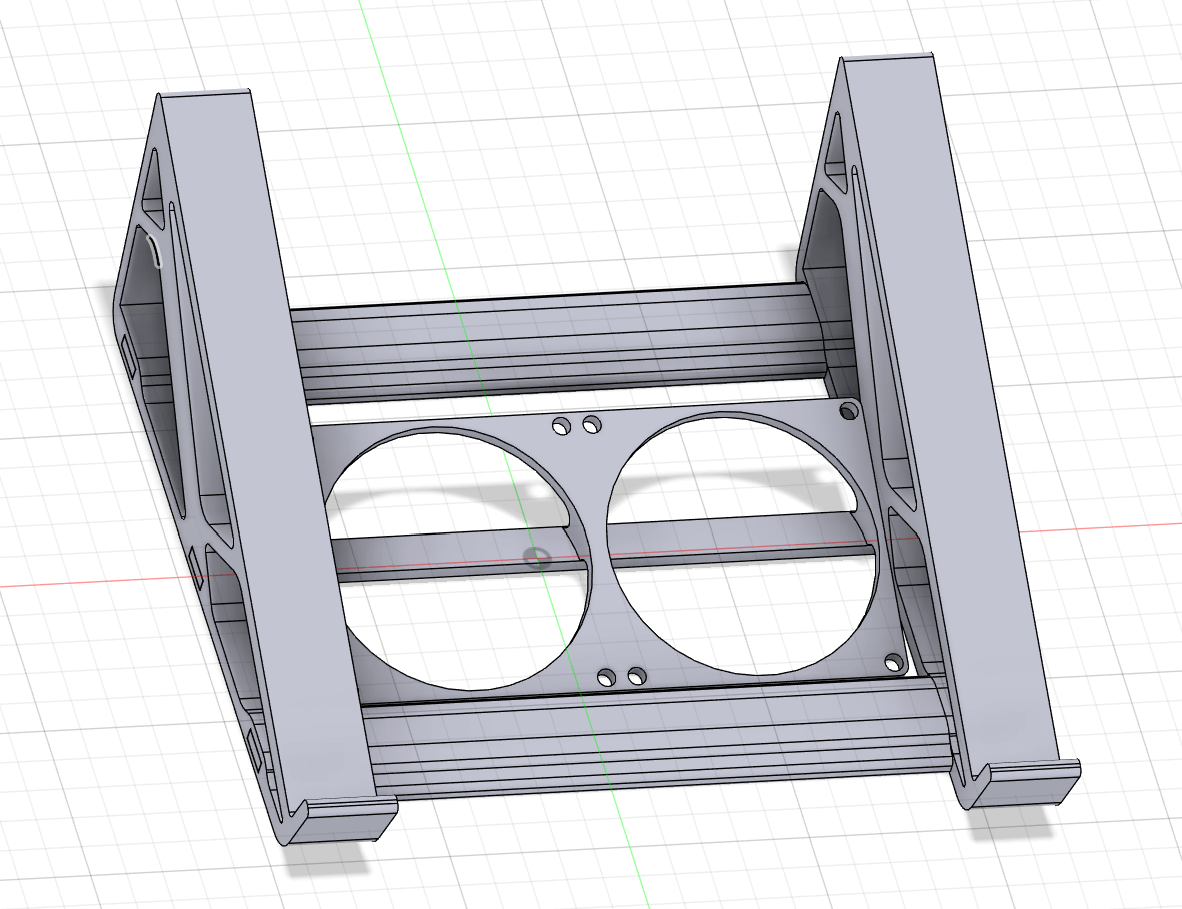

In order to make the stand, you’ll need to download the STL files from https://makerworld.com/en/models/2110927-router-dual-fan-stand and 3D print the required parts.
As well as the 3D printed parts, you’ll need the following:
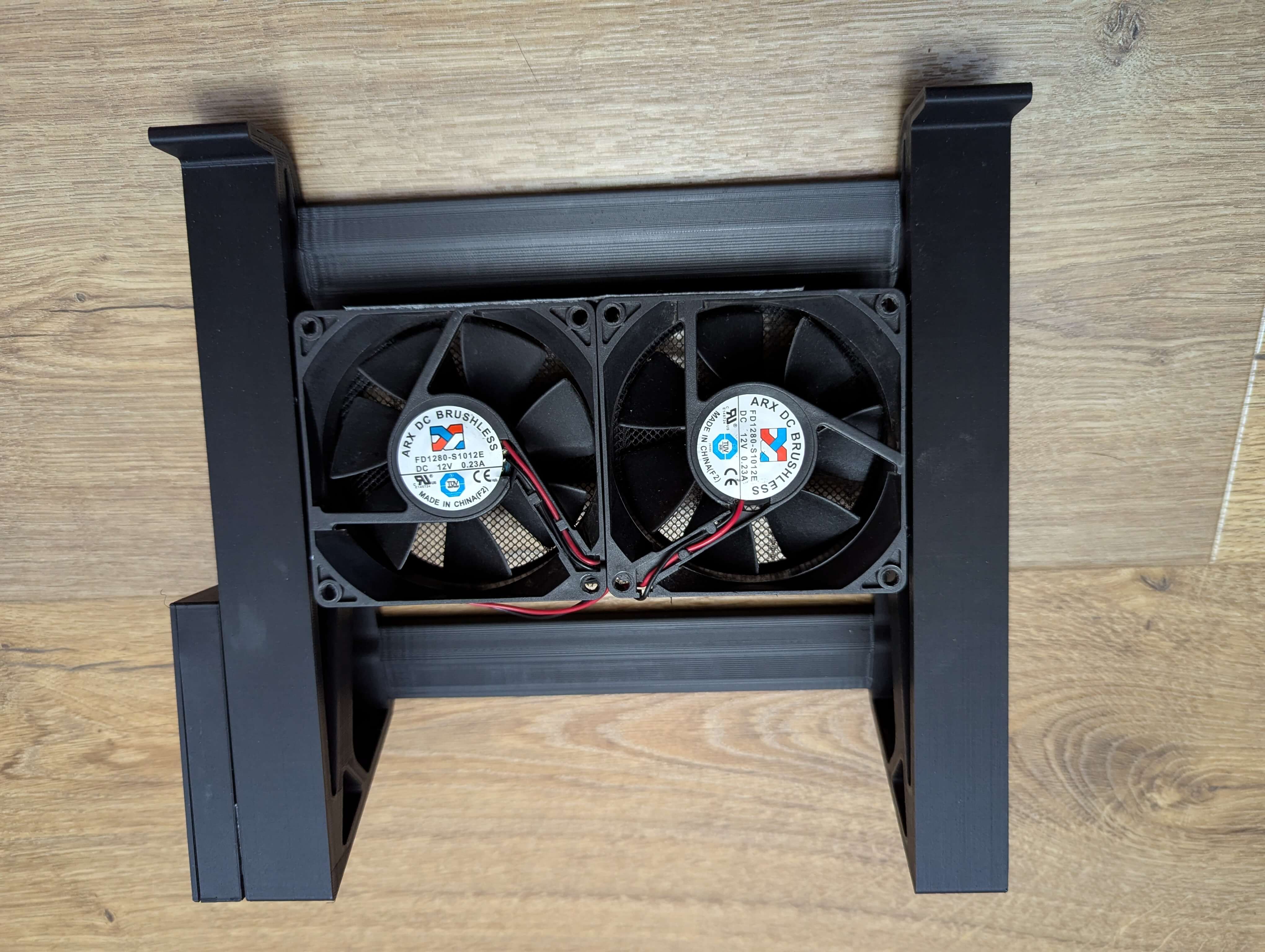
- 2x 80mm fans
- Insect mesh, to try to reduce the amount of dust pushed towards the router
- 1x Adafruit HUZZAH32 – ESP32 Breakout Board ( for ESPHome)
- 1x MT3608 DC-DC
- 1x USB Type C 3.1 Female Socket DIY Serial Basic Breakout Female Connector
- 1x 10V, 470uF capacitor + 1x 16V, 470uF capacitor
- 1x A03400 mosfet for PWM control
Once you’ve printed the required parts, assemble them.




Building the controller
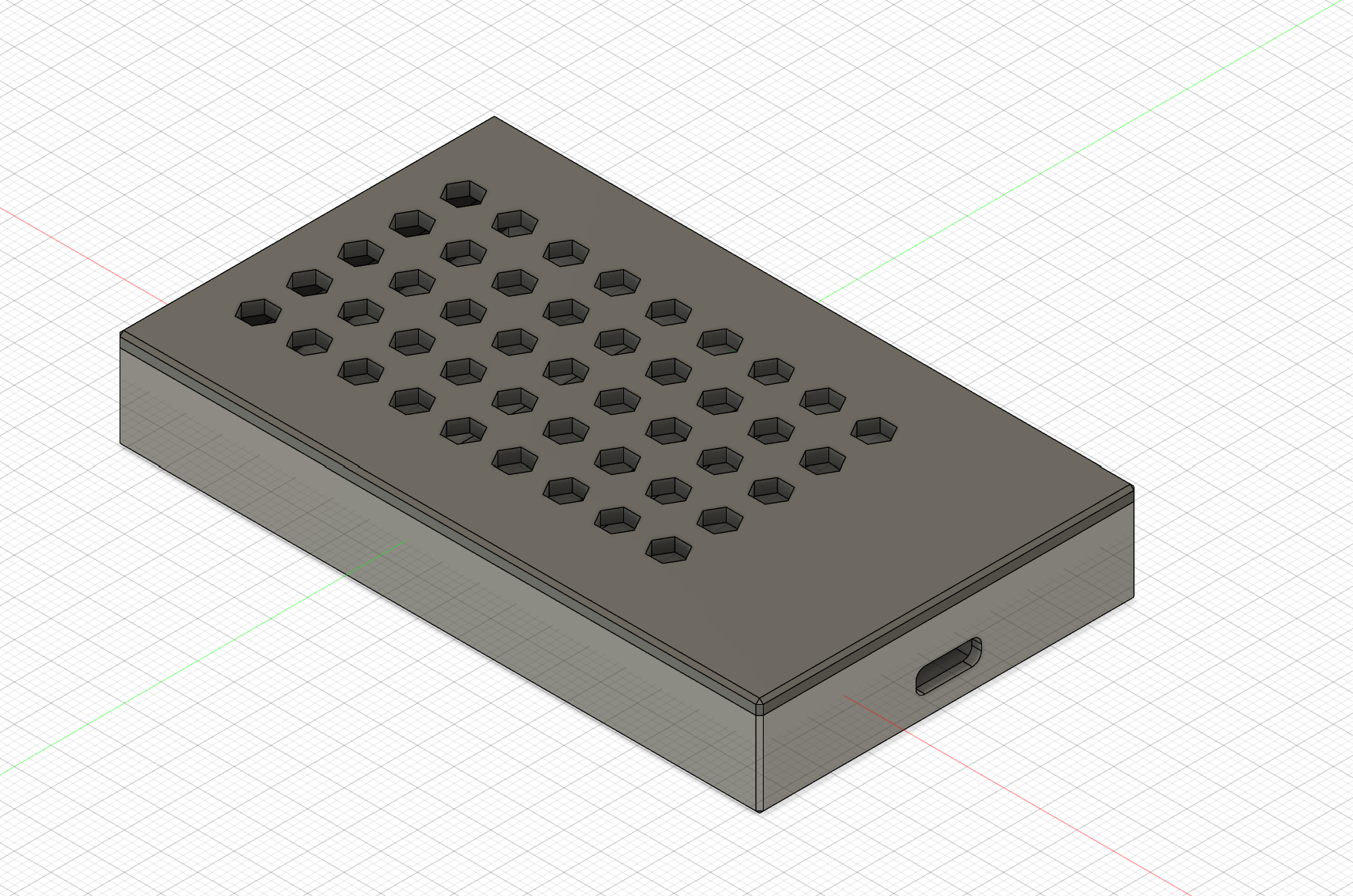
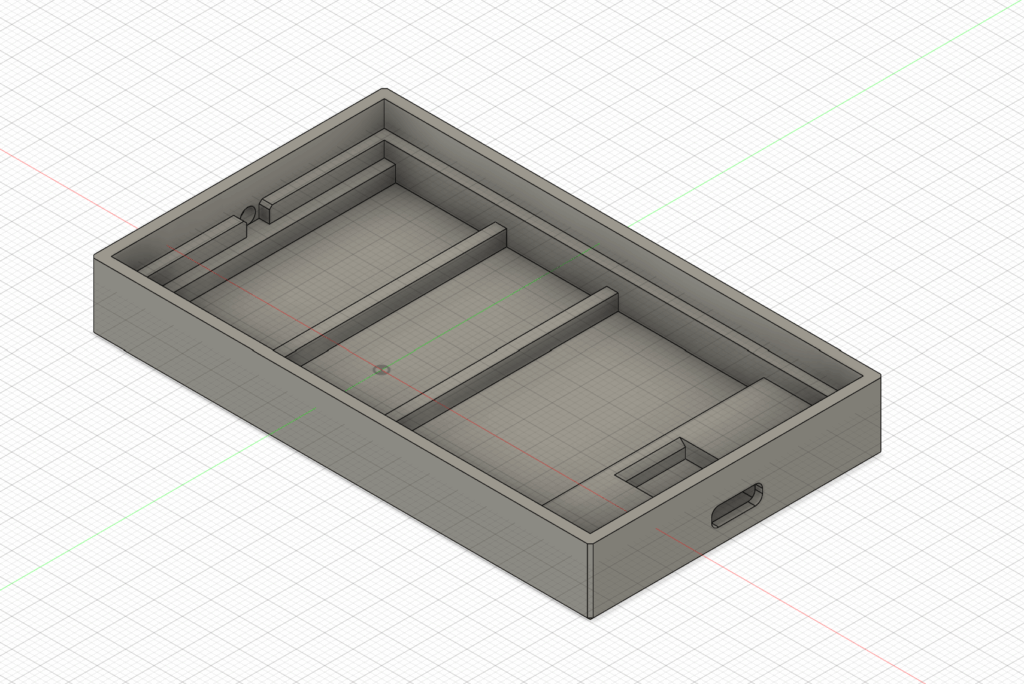
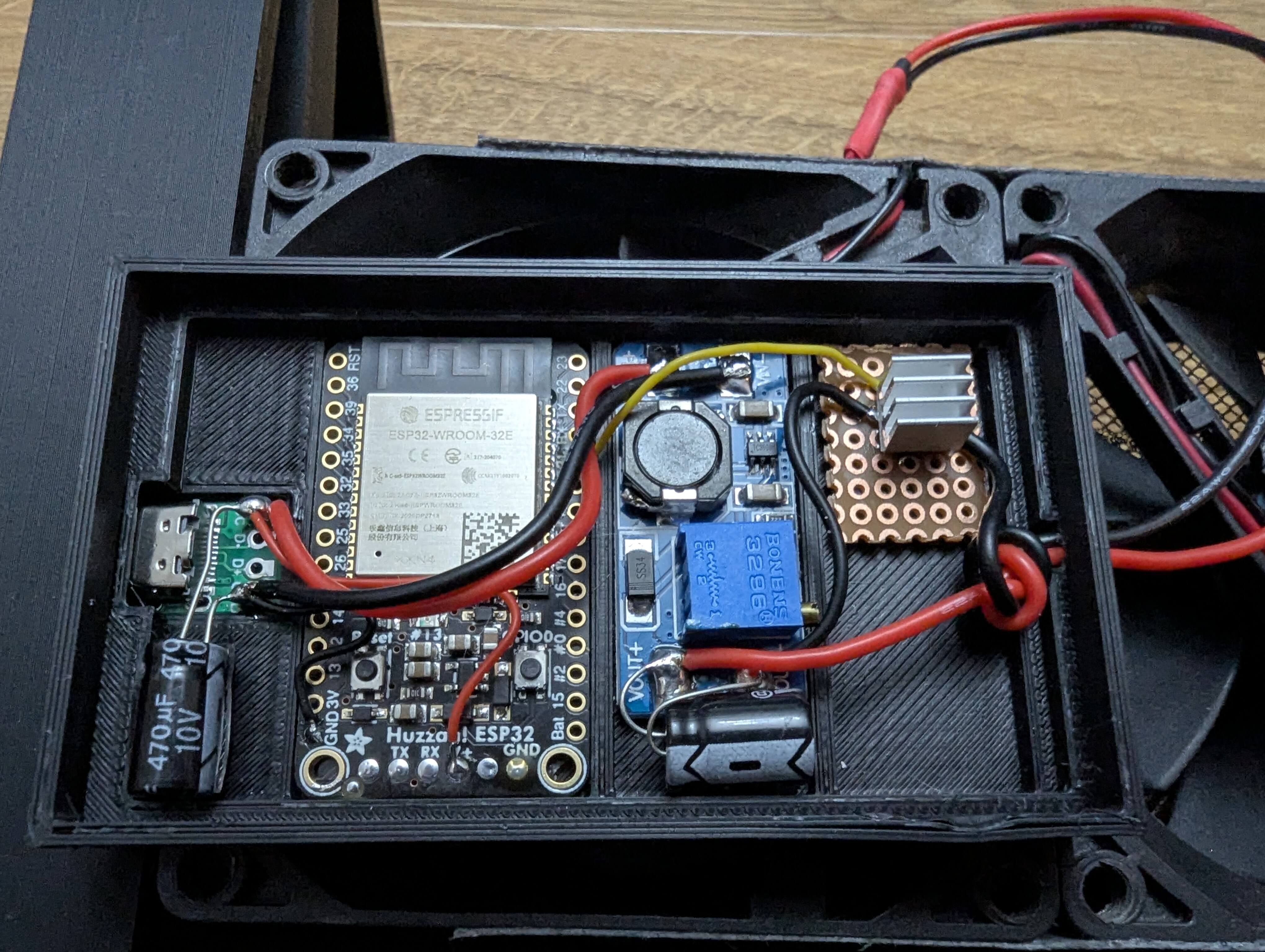
For the controller you’ll need to make the following connections.
- Connect the USB C PCB with the 10V, 470uF capacitor
- Power the ESP32 directly from the USB C using the V+ pin as that can take up to 6V
- Connect the USB C PCB with the VI+ and VI- on the MT3608 DC-DC
- Connect the VO+ and VO- with the 16V, 470uF capacitor
- Connecting the Fan
- VO+ with the fan V
- D(Drain) from the MOSFET with Fan GND
- Connecting the MOSFET
- ESP32 GPIO21 — Gate
- Gate — 100kΩ — GND (pulldown)
- MOSFET Source — GND (common with ESP32)
- MOSFET Drain — Fan(-)
ESPHome YAML Code
esphome:
  name: router-fan

esp32:
  board: featheresp32
  framework:
    type: esp-idf

logger:
api:
ota:
  - platform: esphome
    password: ""

wifi:
  ssid: "WIFI_SSID"
  password: "WIFI_PASSWORD"

  # Enable fallback hotspot (captive portal) in case wifi connection fails
  ap:
    ssid: "Router Fan Control"
    password: "SSID_PW"


# -------------------------------
# PWM OUTPUT (Fan Speed Control)
# -------------------------------
output:
  - platform: ledc
    pin: GPIO21
    id: router_fan_pwm
    frequency: 25000 Hz

# -------------------------------
# Home Assistant Fan Entity
# -------------------------------
fan:
  - platform: speed
    name: "Speed Control"
    output: router_fan_pwm
    speed_count: 100
    id: router_fan
Sending the data from Flint 2 (GL-MT6000) to your Home Assistant
Required Libraries:
- mosquitto-client-nossl
- nano-full
Creating the required Files.
/usr/bin/mqtt_sensors.sh
#!/bin/sh

MQTT_HOST="192.168.8.123"
MQTT_PORT="1883"
MQTT_USER="mqtt_user"
MQTT_PASS="mqtt_passwrd"

DEVICE_ID="GL-MT6000"
INTERVAL=5

BASE_TOPIC="home/$DEVICE_ID"
DISCOVERY_PREFIX="homeassistant"

# ---------------- HELPERS ----------------
publish_discovery() {
    mosquitto_pub -h "$MQTT_HOST" -p "$MQTT_PORT" \
        -u "$MQTT_USER" -P "$MQTT_PASS" \
        -t "$1" -r -m "$2"
}

publish_value() {
    mosquitto_pub -h "$MQTT_HOST" -p "$MQTT_PORT" \
        -u "$MQTT_USER" -P "$MQTT_PASS" \
        -t "$1" -r -m "$2"
}

DEVICE_JSON="\"device\":{
  \"identifiers\":[\"$DEVICE_ID\"],
  \"name\":\"$DEVICE_ID\",
  \"manufacturer\":\"GL.iNet\",
  \"model\":\"GL-MT6000\"
}"

# ---------------- HA DISCOVERY ----------------
publish_discovery "$DISCOVERY_PREFIX/sensor/${DEVICE_ID}_temperature/config" "{
  \"name\":\"CPU Temperature\",
  \"state_topic\":\"$BASE_TOPIC/temperature\",
  \"unit_of_measurement\":\"°C\",
  \"device_class\":\"temperature\",
  \"unique_id\":\"${DEVICE_ID}_temperature\",
  $DEVICE_JSON
}"

publish_discovery "$DISCOVERY_PREFIX/sensor/${DEVICE_ID}_cpu/config" "{
  \"name\":\"CPU Load\",
  \"state_topic\":\"$BASE_TOPIC/cpu\",
  \"unit_of_measurement\":\"%\",
  \"icon\":\"mdi:cpu-64-bit\",
  \"unique_id\":\"${DEVICE_ID}_cpu\",
  $DEVICE_JSON
}"

publish_discovery "$DISCOVERY_PREFIX/sensor/${DEVICE_ID}_memory/config" "{
  \"name\":\"Memory Usage\",
  \"state_topic\":\"$BASE_TOPIC/memory\",
  \"unit_of_measurement\":\"%\",
  \"icon\":\"mdi:memory\",
  \"unique_id\":\"${DEVICE_ID}_memory\",
  $DEVICE_JSON
}"

# ---------------- MAIN LOOP ----------------
while true; do
    # CPU Temperature
    RAW_TEMP=$(cat /sys/class/thermal/thermal_zone0/temp 2>/dev/null)
    [ -z "$RAW_TEMP" ] && RAW_TEMP=0
    TEMP=$(awk "BEGIN {printf \"%.2f\", $RAW_TEMP/1000}")

    # CPU Load (scaled by 65536)
    LOAD=$(ubus call system info | jsonfilter -e '@.load[0]')
    [ -z "$LOAD" ] && LOAD=0
    CPU=$(awk "BEGIN {printf \"%.2f\", $LOAD/65536*100}")

    # Memory %
    MEM_TOTAL=$(awk '/MemTotal/ {print $2}' /proc/meminfo 2>/dev/null)
    MEM_TOTAL=${MEM_TOTAL:-0}
    MEM_AVAILABLE=$(awk '/MemAvailable/ {print $2}' /proc/meminfo 2>/dev/null)
    MEM_AVAILABLE=${MEM_AVAILABLE:-0}
    MEM_USED=$((MEM_TOTAL-MEM_AVAILABLE))
    MEM_PERC=$(awk "BEGIN {printf \"%.2f\", $MEM_USED*100/$MEM_TOTAL}")

    # ---------------- PUBLISH ----------------
    publish_value "$BASE_TOPIC/temperature" "$TEMP"
    publish_value "$BASE_TOPIC/cpu" "$CPU"
    publish_value "$BASE_TOPIC/memory" "$MEM_PERC"

    sleep "$INTERVAL"
done
Once you have the file, use the following command to make it executable.
chmod +x /usr/bin/mqtt_sensors.shCreate an init.d script to make it run as a service
/etc/init.d/mqtt_sensors
#!/bin/sh /etc/rc.common
# This service will run the mqtt_sensors script

START=99
STOP=10

start() {
    echo "Starting MQTT Sensors Service..."
    /usr/bin/mqtt_sensors.sh &
    # Save the PID of the script to a file so we can kill it later
    echo $! > /var/run/mqtt_sensors.pid
}

stop() {
    echo "Stopping MQTT Sensors Service..."
    # Get the PID of the running process
    PID=$(cat /var/run/mqtt_sensors.pid)
    kill $PID
    rm /var/run/mqtt_sensors.pid
}

restart() {
    stop
    start
}

# Ensure the service runs after reboot
boot() {
    start
}
Once you have the file, use the following command to make it executable.
chmod +x /etc/init.d/mqtt_sensorsCommands:
# Enable the service to start at boot
/etc/init.d/mqtt_sensors enable

# Disable auto-start on boot
/etc/init.d/mqtt_sensors disable

# Start, stop, or restart the service
/etc/init.d/mqtt_sensors start
/etc/init.d/mqtt_sensors stop
/etc/init.d/mqtt_sensors restart

# Check the symbolic links in /etc/rc.d/
ls -l /etc/rc.d/ | grep mqtt_sensors

# Find the current PID
ps | grep mqtt_sensors | grep -v grep

# Get the current memory usage
cat /proc/PID_ID/status | grep -E 'VmRSS|VmSize'
Home Assistant Automation
- id: router_fan_linear_control
  alias: Router Fan Linear Control
  description: "Linear fan speed control based on CPU temperature"
  trigger:
    platform: state
    entity_id: sensor.gl_mt6000_cpu_temperature
  action:
    service: fan.set_percentage
    target:
      entity_id: fan.router_fan_speed_control
    data:
      percentage: >
        {% set temp = states('sensor.gl_mt6000_cpu_temperature')|float %}
        {% set min_temp = 32 %}
        {% set max_temp = 65 %}
        {% set min_speed = 15 %}
        {% set max_speed = 100 %}
        {% if temp <= min_temp %}
          {{ min_speed }}
        {% elif temp >= max_temp %}
          {{ max_speed }}
        {% else %}
          {{ (min_speed + (temp - min_temp)*(max_speed - min_speed)/(max_temp - min_temp)) | round(0) }}
        {% endif %}